
guides
How to save videos from X (Twitter)
Watching videos on X is pretty straightforward. Saving them to your phone or laptop though? Not so much. (unless you're paying)
The general consensus is that most social media platforms want you to hit the share button and text a link to your friends so they are forced to open the app. I mean, that's the business model. But sometimes you just need to show the video to someone, or drop it in a group chat or hoard it.
I've spent my fair share of time trying sketchy "Twitter Video Downloader" sites. Some of them work, after bombarding you with ads. Others will show you fake download buttons that redirect you to weird sites, or just compress the heck out of the videos, or mess up the aspect ratio.
That's what this guide is for. Here's how you can actually download videos from X, depending on your pain tolerance level:
1. The painful way (if you're not a nerd):
If you're on a Mac or PC (or Linux) and you're comfortable opening a terminal, I present you ✨ yt-dlp ✨.
It's an open-source command-line tool. It's totally free, ad-free, and extracts the absolute highest quality video file directly from X's servers.
If you're on a Mac, just pop open your terminal and install it using Homebrew:
brew install yt-dlp
On Windows, the easiest way is using winget in PowerShell:
winget install yt-dlp
And if you're a Linux user, you can usually just grab it from your package manager (like apt for Ubuntu/Debian):
sudo apt install yt-dlp
Once that's done, you just type yt-dlp, paste the link to the X post, hit enter, and tada. 🎉 It downloads the video straight to your folder. Tbh, I don't usually go this route, even though I enjoy using the terminal for a lot of things. Guess I'm not that much of a nerd yet.
2. The normal way (Cobalt):
If you're a normal person that just wants a normal website, I found a good one: cobalt.tools.
I actually recommend Cobalt because it respects your privacy (and your sanity). No ads, no trackers, and zero fake download buttons. The developers literally built it because they were sick of how trash the other downloader sites are. (I promise I wasn't paid to say any of this TwT)
Just paste the X post link in the box, tap the button, and wait for it to start downloading. It handles X perfectly and the quality is surprisingly great.
3. The cool way (if you have an Apple device):
If you have an iPhone or iPad, you can skip the web entirely and just use the built-in Shortcuts app.
There's a whole community of people building custom iOS shortcuts just for downloading media. The best one right now is called R | Download (just search for it on the r/shortcuts subreddit).
Once it's in your Shortcuts app, downloading a video is basically two taps. Hit the share icon on an X post, tap "Share via," and pick the shortcut. It downloads the video in the background and drops it right into your Photos app.
4. The genius way:
These other tools are pretty great if you just need a video once in a while.
But if you're like me and you hoard useful resources, memes, and random inspiration across X, doing this manually gets exhausting real fast. You tend to end up with a gallery packed with out-of-context videos, with no clue why you even saved them in the first place. (There's a whole psychology to why we save things and never look at them again.)
I built Siloe to fix this exact problem.
Siloe is basically a central hub for all your bookmarked posts. You connect your X account, and it sucks all your bookmarks into a clean, searchable library. (If you're weighing options, here's our rundown of the best social bookmark manager for iOS.)
But the best part? When you want to save a video you bookmarked, you just long-press the post right inside Siloe and tap Save media.
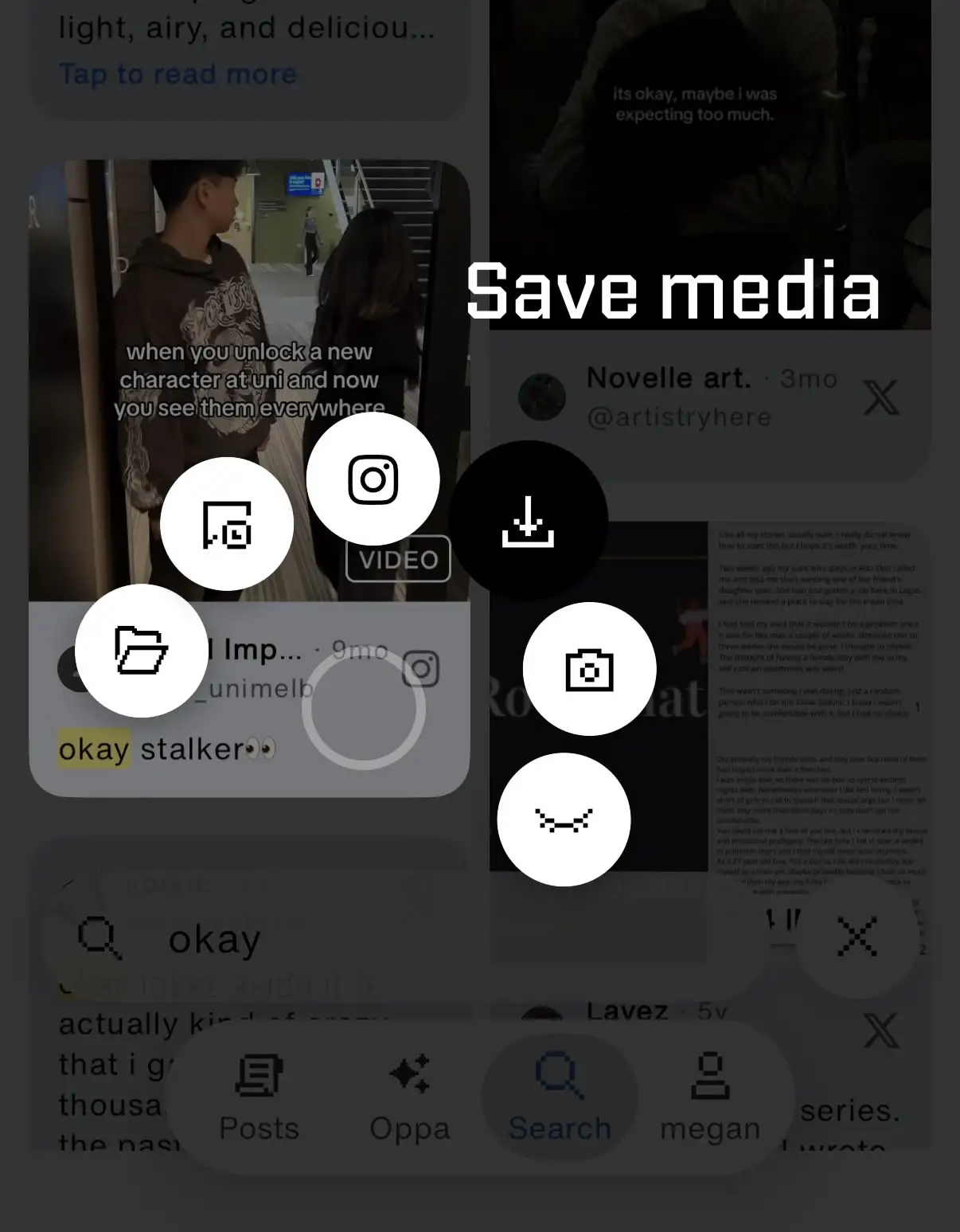
It downloads the video straight to your phone. No copying links, no jumping between apps, no weird popups. It just works.